Introduction
UltraSearch Pro is a high-performance file search utility designed to locate files and folders on Windows systems instantly. Unlike traditional search tools that rely on indexing or background scanning, UltraSearch Pro reads the Master File Table (MFT) of NTFS partitions directly, delivering results in real time with unmatched speed. This makes it an ideal solution for IT professionals, power users, and businesses that handle large storage volumes and need immediate access to files across multiple drives.
Key Features
- Instant file and folder search by reading NTFS MFT directly—no indexing required.
- Search across multiple drives and partitions simultaneously.
- Advanced filtering by file size, type, date, attributes, and folder paths.
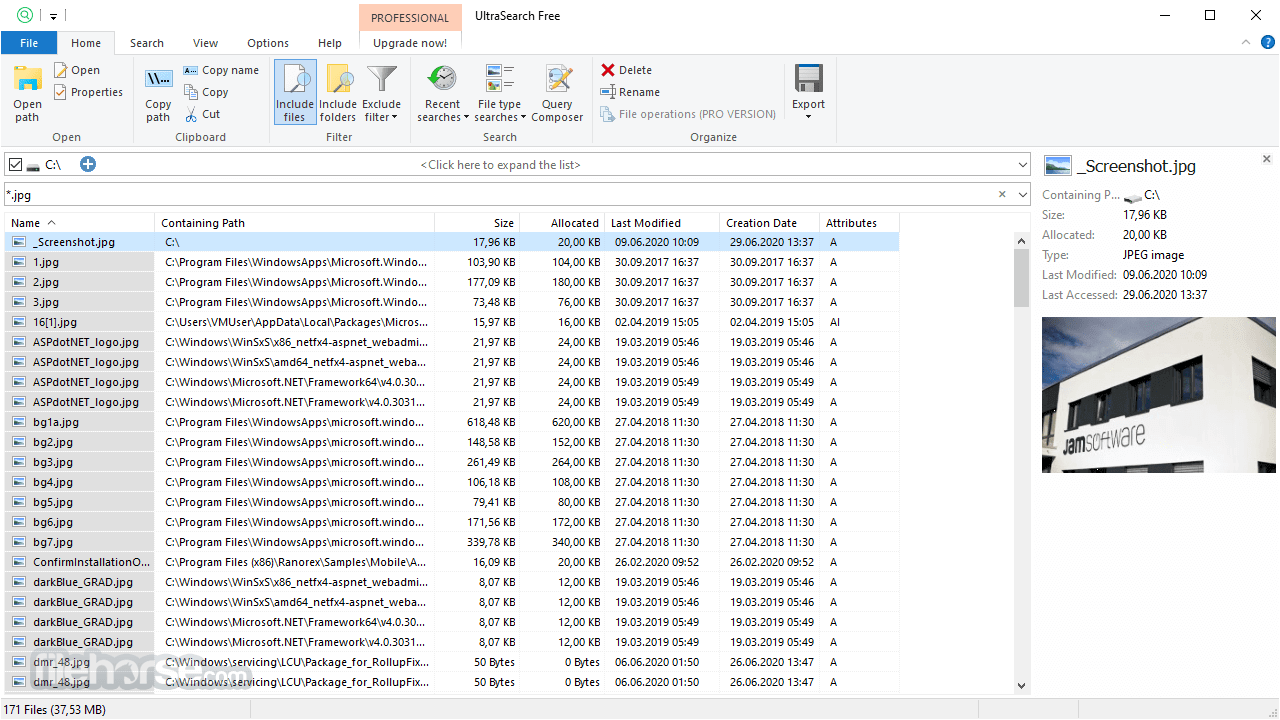
- Real-time preview showing file paths, sizes, modification dates, and attributes.
- Search inside ZIP archives without extracting them.
- Export results to CSV, Excel, or text formats for reporting and analysis.
- Network drive support for locating files on shared or mapped network paths.
- Custom search patterns using wildcards and regular expressions.
- Fast batch operations such as copy, move, delete, or open containing folder.
- User-friendly interface suitable for both beginners and advanced system administrators.
Conclusion
UltraSearch Pro is one of the fastest and most efficient file search tools available for Windows. Its direct MFT access, robust filtering capabilities, and intuitive interface make it a powerful asset for anyone dealing with large storage systems or complex file structures. Whether you’re troubleshooting as an IT technician, managing enterprise storage, or simply looking for a more responsive search experience than Windows Search, UltraSearch Pro delivers exceptional speed and precision.
System Requirements
- Operating System: Windows 7, 8, 8.1, 10, 11 (32-bit & 64-bit)
- CPU: Intel/AMD 1 GHz or higher
- RAM: Minimum 1 GB
- Disk Space: Around 30 MB required
- File System: Best performance on NTFS partitions