Introduction
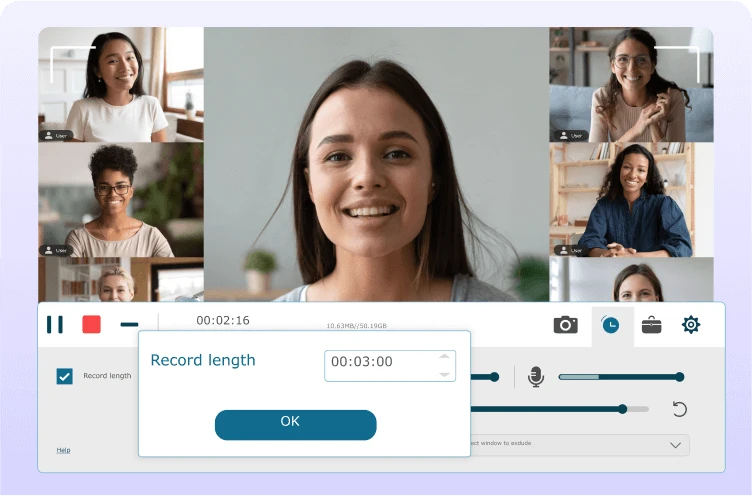
FonePaw Screen Recorder 8 is a versatile and user-friendly screen capturing solution designed for recording high-quality videos from desktop activity, gameplay, webcam, audio, and online content. Ideal for educators, streamers, office professionals, and technical support teams, the software allows users to record tutorials, meetings, webinars, live streams, and application demonstrations with ease. With multiple recording modes, customizable output settings, and smooth performance, FonePaw Screen Recorder 8 delivers a reliable recording experience for both everyday users and content creators.
Key Features
- Record full screen, custom regions, specific windows, or application-only recordings.
- High-quality video output up to 1080p or higher, depending on hardware capability.
- Webcam recording and picture-in-picture mode for tutorials, presentations, and streaming content.
- Audio recording from system sound, microphone, or both simultaneously.
- Game Mode for smooth recording of gameplay with minimal performance impact.
- Scheduled recording for classes, webinars, and recurring events.
- Real-time annotation tools (drawing, text, arrows) for highlighting or explaining content during recording.
- Mouse effect customization including highlighting clicks and pointer animations.
- Export videos in multiple formats such as MP4, WMV, MOV, and others.
- Lightweight and optimized engine suitable for long recording sessions without lag.
Conclusion
FonePaw Screen Recorder 8 provides a complete and efficient solution for capturing screen activity in both personal and professional contexts. With its intuitive interface, flexible recording modes, stable performance, and rich annotation tools, the software is well-suited for users who need to create online courses, document workflows, record gameplay, or save video conferences. It balances ease of use with powerful features, making it a dependable choice for high-quality screen recording.
System Requirements
- Operating System: Windows 7, 8, 8.1, 10, 11
- CPU: Intel/AMD processor with at least 1 GHz
- RAM: Minimum 2 GB (4 GB recommended for HD recording)
- Disk Space: At least 200 MB for installation; more needed for video storage
- GPU: Standard Windows-compatible GPU for hardware-accelerated recording