Introduction
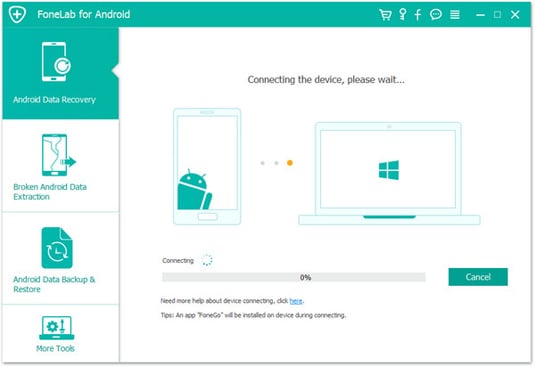
Aiseesoft FoneLab for Android 6 is a professional data recovery solution designed to restore lost or deleted data from Android phones and tablets. Whether the device is functioning normally or damaged due to system failure, accidental deletion, rooting errors, or software issues, FoneLab provides a reliable way to scan, preview, and recover essential data. Supporting thousands of Android models from brands such as Samsung, Huawei, Xiaomi, Oppo, Vivo, HTC, and more, the software is widely used by individuals, technicians, and service centers that require high recovery success rates.
Key Features
- Recover deleted photos, videos, contacts, messages, call logs, documents, and app data.
- Deep Scan mode allows recovery even from corrupted, formatted, or system-crashed devices.
- Supports recovery from internal memory and SD cards.
- Fix Android system issues such as boot loops, black screen, frozen device, or improper shutdown.
- Preview data before recovery to ensure accuracy.
- Backup and restore Android data selectively without overwriting existing content.
- Compatible with thousands of Android devices, including older and newer models.
- Safe and read-only scanning process to avoid damaging device data.
- Simple user interface suitable for both beginners and advanced repair technicians.
- Fast scanning and recovery speed with optimized performance for large storage devices.
Conclusion
Aiseesoft FoneLab for Android 6 is a reliable and efficient data rescue tool for users who need to recover important files from Android devices under various failure conditions. With support for a wide range of data types, deep scanning capabilities, and built-in system repair tools, the software offers a comprehensive solution for both personal recovery needs and professional repair workflows. If you need powerful Android data recovery with a high success rate, FoneLab for Android remains one of the top choices.
System Requirements
- Operating System: Windows 7, 8, 8.1, 10, 11
- CPU: Intel/AMD 1 GHz or faster
- RAM: Minimum 1 GB (2 GB recommended)
- Disk Space: 200 MB free space required
- Android Version Supported: Android 4.0 to the latest builds
- USB Connection: Required for device scanning and recovery