Share to be shared__

Generic selectors
Exact matches only
Search in title
Search in content
Post Type Selectors

ZD Soft Screen Recorder 12.0.7

3625-banner

High-performance HD screen recording software

Introduction

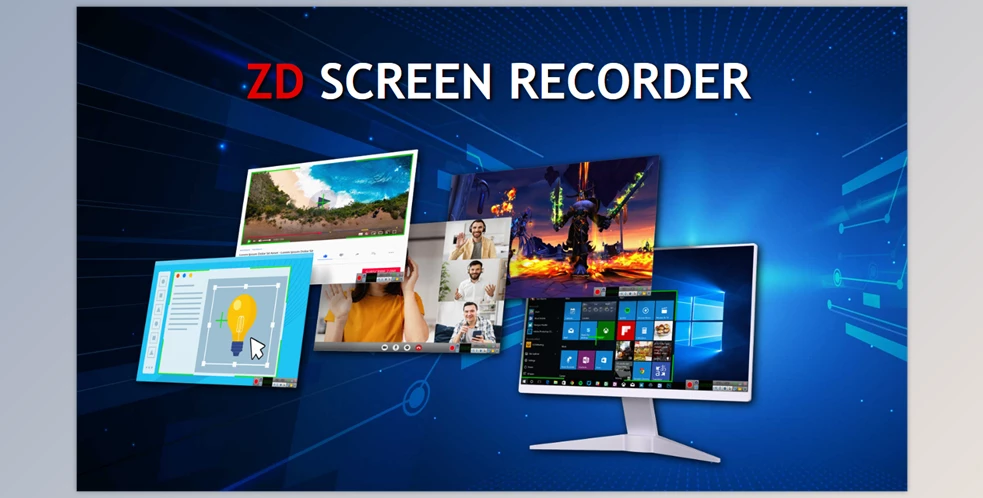
ZD Soft Screen Recorder is a high-performance screen recording solution designed for capturing desktop activity, gameplay, webinars, live streams, and professional presentations with exceptional clarity. Known for its smooth frame rates and lightweight design, the software utilizes efficient screen capture technology to deliver high-quality videos without causing lag or system slowdown. It is widely used by content creators, educators, gamers, and office professionals who need reliable recording features for tutorials, demonstrations, and broadcast content.

Key Features

  • Record full screen, selected region, specific windows, or application-only modes.
  • High-quality output up to 4K resolution with smooth frame rates.
  • Game recording mode optimized for DirectX/OpenGL gameplay capture.
  • Webcam overlay support for picture-in-picture videos.
  • Record system sound, microphone input, or both simultaneously.
  • Live streaming capabilities to platforms such as YouTube, Twitch, and Facebook.
  • Schedule recording tasks for automated content capture.
  • Real-time drawing tools for annotations, highlights, and on-screen guidance.
  • Lightweight design with minimal CPU and GPU impact.
  • Export to MP4, AVI, FLV, and other popular video formats.

Conclusion

ZD Soft Screen Recorder delivers a powerful and versatile recording environment suitable for a wide range of personal and professional applications. With its smooth performance, high-definition output, and extensive feature set, the software is ideal for producing tutorials, streaming gameplay, documenting workflows, or capturing online meetings. Its stability and efficiency make it a reliable choice for users seeking high-quality screen recording without complexity.

System Requirements

  • Operating System: Windows 7, 8, 8.1, 10, 11
  • CPU: Intel/AMD dual-core processor or higher
  • RAM: Minimum 4 GB recommended
  • GPU: Graphics card supporting DirectX acceleration
  • Disk Space: Around 50 MB for installation (additional space required for video output)

Software Information

Basic details about this download.

⬇ Downloads 34
Software name
ZD Soft Screen Recorder
Version
12.0.7
Published date
2025-12-10
Last updated
2025-12-10
File name
ZD_Soft_Screen_Recorder-hoquangdai.com.zip
File size
21.71 MB
Downloads
34
Pass unzip: hoquangdai.com
How to install?
View readme.txt file
Tag_
Search_
Popular search keywords for this software:
🔍 ZD Soft Screen Recorder
🔍 ZD Soft Screen Recorder download
🔍 download ZD Soft Screen Recorder
🔍 ZD Soft Screen Recorder free download
🔍 free download ZD Soft Screen Recorder
🔍 ZD Soft Screen Recorder latest version
🔍 download ZD Soft Screen Recorder latest version
🔍 ZD Soft Screen Recorder full version
🔍 ZD Soft Screen Recorder offline installer
🔍 download ZD Soft Screen Recorder for Windows
🔍 full download ZD Soft Screen Recorder for Windows
🔍 free download ZD Soft Screen Recorder for Windows
🔍 ZD Soft Screen Recorder 64 bit download
🔍 ZD Soft Screen Recorder setup download
🔍 safe download ZD Soft Screen Recorder
🔍 direct download ZD Soft Screen Recorder
🔍 ZD Soft Screen Recorder 12.0.7
🔍 ZD Soft Screen Recorder 12.0.7 download

Leave a Reply

Your email address will not be published. Required fields are marked *

Chat Now

Community Chat

Enter your email and message to join the conversation. Messages are public.

I
inf*
2025-12-07 14:34:36
hello
I
inf*
2025-12-07 17:00:39
update Autodesk HSMWorks Ultimate 2019

Most Download & Stast

📄 Posts
200
💬 Comments
2
👁 Total Views
32,033

New Comment

Recent Comments

Latest discussions from your posts.

H
Ho Quang Dai View post
on IDimager Photo Supreme 2025.3.3.8136
“LIKE”
A
Alex Rivera View post
on IDimager Photo Supreme 2025.3.3.8136
“Interesting piece on Photo Supreme 2025, shows how robust DAM needs to be for fast-paced studios. I …”

Category

Tag Cloud