Introduction
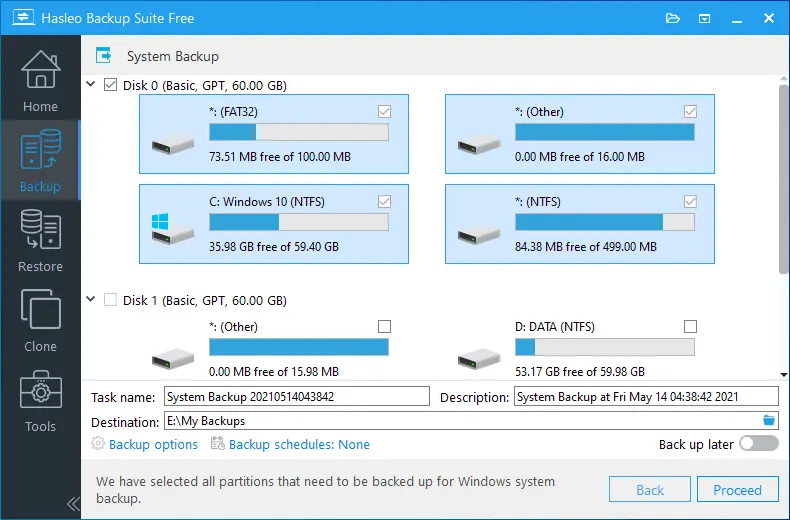
Hasleo Backup Suite Enterprise 5 is a professional backup, restore, cloning, and disaster-recovery solution designed for businesses, IT departments, and advanced users who require strong data protection on Windows systems. It offers a complete set of tools for safeguarding operating systems, disks, partitions, and individual files. With support for full, incremental, and differential backup modes, the software provides both flexibility and efficiency. Businesses value it for its reliability, fast recovery options, and enterprise-level features such as bootable WinPE environments and advanced image management.
Key Features
- System, disk, and partition backup & restore, ensuring complete protection of Windows OS and data partitions.
- Full, incremental, and differential backup modes to optimize backup speed and storage usage.
- File and folder backup for selective data protection without imaging the entire disk.
- Disk and partition cloning capabilities, ideal for OS migration to SSD/HDD or hardware upgrades.
- Support for compressing, encrypting, splitting, merging, and verifying backup image files.
- Scheduled backups with automation and retention rules to maintain continuous data safety.
- Create bootable WinPE emergency disk for system recovery when Windows fails to boot.
- Mount backup images as virtual drives to extract individual files or folders easily.
- Support for multiple file systems including FAT, FAT32, NTFS, exFAT, and ReFS.
- Works with both BIOS/MBR and UEFI/GPT boot modes.
Conclusion
Hasleo Backup Suite Enterprise 5 is a robust and efficient backup solution designed for environments where data integrity and uptime are critical. It combines powerful imaging, cloning, and recovery tools with an intuitive interface suitable for both IT technicians and business users. Whether you’re protecting servers, workstations, or personal systems, the Enterprise edition provides dependable backup performance and fast restoration capabilities, making it a strong choice for professional data protection.
System Requirements
- Operating System: Windows Vista, 7, 8, 8.1, 10, 11; Windows Server 2008 or later.
- Supported File Systems: FAT, FAT32, NTFS, exFAT, ReFS.
- Supported Boot Modes: Legacy BIOS/MBR and UEFI/GPT.
- Hardware: Any standard PC or server supported by Windows.
- Disk Space: Sufficient free space for backup images or cloning targets.